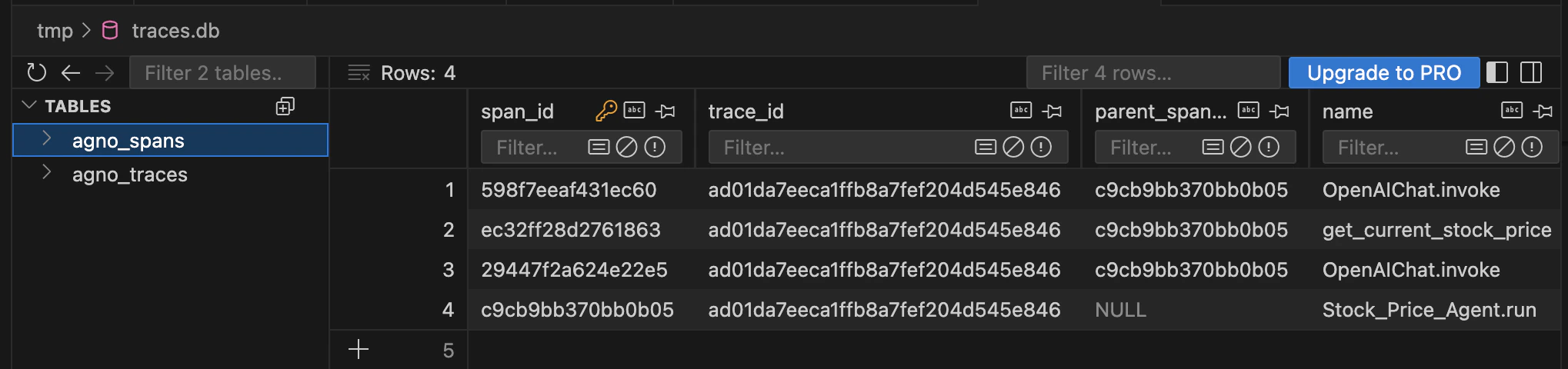
AgentOS comes with a built-in tracing provider that routes every run to your database. There is no external observability SaaS to sign up for, no API key to manage, and no data egress. Your traces live in agno_traces and agno_spans in the same db you already use for sessions and memory.
from agno.os import AgentOS

agent_os = AgentOS(
    agents=[agent],
    db=db,
    tracing=True,
)
Every run produces a trace tree: spans for the LLM call, each tool, hook, retrieval, and team delegation. Tracing is built on OpenTelemetry and instruments your agents with zero code changes.

Your data never leaves your db

This is the difference between AgentOS tracing and hosted observability platforms.
AgentOS tracingHosted observability SaaS
Where traces liveYour databaseTheir servers
Data egressNoneEvery prompt, tool call, and response leaves your network
Vendor dependencyNoneYour observability stops if they go down or you stop paying
Cost modelYour existing databasePer-seat or per-event billing
QueryingDirect SQL on your tablesTheir API and UI only
Prompts, tool arguments, and model outputs often contain customer PII, internal data, and proprietary logic. With AgentOS tracing, none of it crosses your network boundary. You own the data, you control retention, and you can query it with the database tools you already run.
agno_traces and agno_spans tables in a database client

What gets captured

SpanAttributes
Runagent_id, user_id, session_id, model, latency, status
LLM callModel, prompt tokens, completion tokens, temperature, tool calls returned
ToolTool name, arguments, result, duration, exception (if any)
Pre/post hookHook name, duration, modified input/output
RetrievalQuery, vector store, k, returned docs, scores
Team delegationMember name, mode, sub-run trace
Traces follow OpenTelemetry semantic conventions, so you can query them directly:
-- Top 10 slowest span types by average duration
SELECT
    name,
    AVG(duration_ms) AS avg_ms,
    COUNT(*) AS calls
FROM agno_spans
GROUP BY name
ORDER BY avg_ms DESC
LIMIT 10;

In the AgentOS UI

The control plane renders the same traces visually. Click a run to see the full tree: LLM hops, tool calls with their inputs and outputs, hooks, and sub-agent traces. Filter by user, session, or time range.
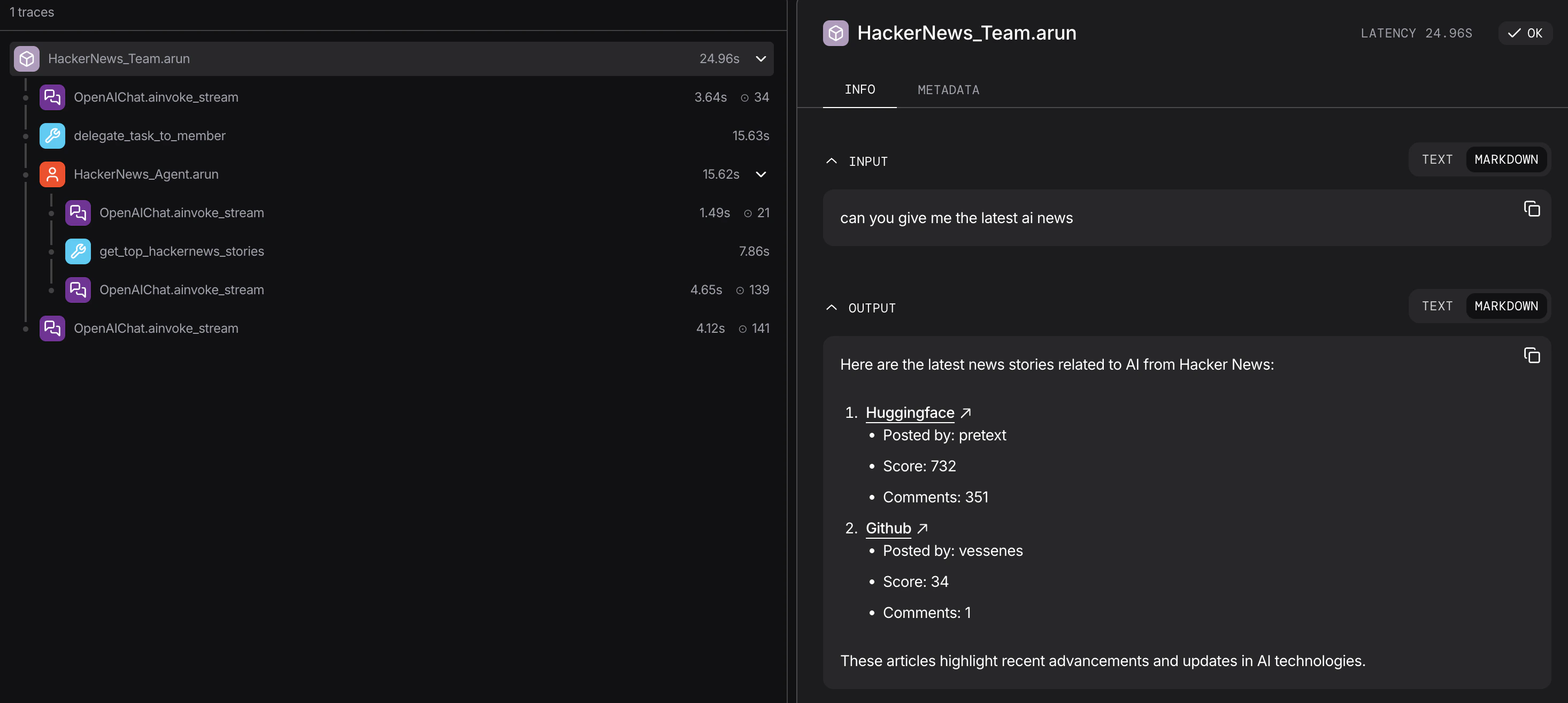
Trace tree in the AgentOS UI

Multi-database tracing

Traces are high-volume and write-heavy, with a different cost profile, retention, and access pattern than sessions. For production, route them to a dedicated database by pointing the AgentOS db at it:
from agno.agent import Agent
from agno.db.postgres import PostgresDb
from agno.os import AgentOS

# Each agent keeps its own database
agent_db = PostgresDb(db_url="postgresql://primary/...")

# Dedicated database for traces
trace_db = PostgresDb(db_url="postgresql://traces/...")

agent = Agent(name="Research Agent", model=..., db=agent_db)

agent_os = AgentOS(
    agents=[agent],
    db=trace_db,   # All traces are written here
    tracing=True,
)
The AgentOS db is where traces land. Keeping it separate isolates trace write volume from your agent data and gives you independent retention and scaling. See Multi-DB tracing for the setup_tracing() variant with batch tuning.

External providers

If you already run an observability platform, AgentOS can export to it instead of (or alongside) your database. Add an OpenTelemetry exporter to send traces to Langfuse, Langsmith, Arize, Logfire, MLflow, or any OTel endpoint. See the Observability section: Langfuse, Langsmith, Arize, Logfire, MLflow.

Developer Resources